GoHighLevel Snapshot Checklist: Safely Onboard New Clients
A GoHighLevel Snapshot can help an agency reuse a client setup, but it is not a full account backup or a substitute for onboarding. The real challenge is deciding what to copy, what to customize, and what to test before any automation goes live. This guide provides a practical checklist for agencies and virtual assistants managing repeatable client launches.
What a GoHighLevel Snapshot actually does
A Snapshot is a reusable collection of supported HighLevel account assets, such as workflows, forms, funnels, calendars and configuration elements. An agency can apply selected assets to another sub-account rather than rebuilding every component. HighLevel distinguishes importing a shared Snapshot into an agency library from loading it into a destination sub-account. Those are two different actions. See HighLevel’s official Snapshot overview.
A Snapshot is not a migration of contacts, appointments, conversations or live account history. It is best treated as a template that needs configuration and testing. The ability to create, import, share or manage Snapshots also depends on your account permissions and access arrangement; do not assume a GHL-powered sub-account subscription provides agency-level Snapshot controls.
Start with a small client-launch blueprint
Imagine a virtual assistant onboarding three independent home-service businesses. Each needs a contact form, a lead-notification workflow and a simple booking process. The structure may be reusable, but each client has different opening hours, services, branding and communication permissions.
Instead of copying a giant template, define the minimum working system:
- Capture: one form with only the information needed to follow up.
- Organize: clear tags or fields for the lead’s service request.
- Respond: a notification to the correct staff member, with customer messages enabled only after consent and sender setup are confirmed.
- Book: a calendar configured for that business’s real availability.
- Measure: a test lead and a recorded expected outcome for every step.
This keeps onboarding manageable and avoids importing irrelevant funnels, obsolete messages or workflows that accidentally contact real customers.
Snapshot vs. live account migration: the important difference
| Need | Snapshot is appropriate? | What to do |
|---|---|---|
| Reuse a lead form or workflow | Usually, for supported assets | Select and test the copied assets |
| Copy a calendar setup | Supported configuration may be included | Recheck users, availability and connected services |
| Move customer contacts or message history | No | Plan a separate, permission-aware data migration |
| Transfer connected domains or third-party authorizations | Do not assume so | Reconnect and verify destination-specific settings |
| Keep every client account updated automatically | No | Refresh the Snapshot and selectively push updates where supported |
HighLevel’s existing sub-account loading guide explains asset selection and conflict review. Treat the destination as a live business system, not a disposable copy.
A seven-point pre-launch checklist
Use this checklist whenever you load a Snapshot into an existing or new client account. The goal is to prevent a reusable template from becoming a source of duplicate messages, incorrect bookings or accidental overwrites.
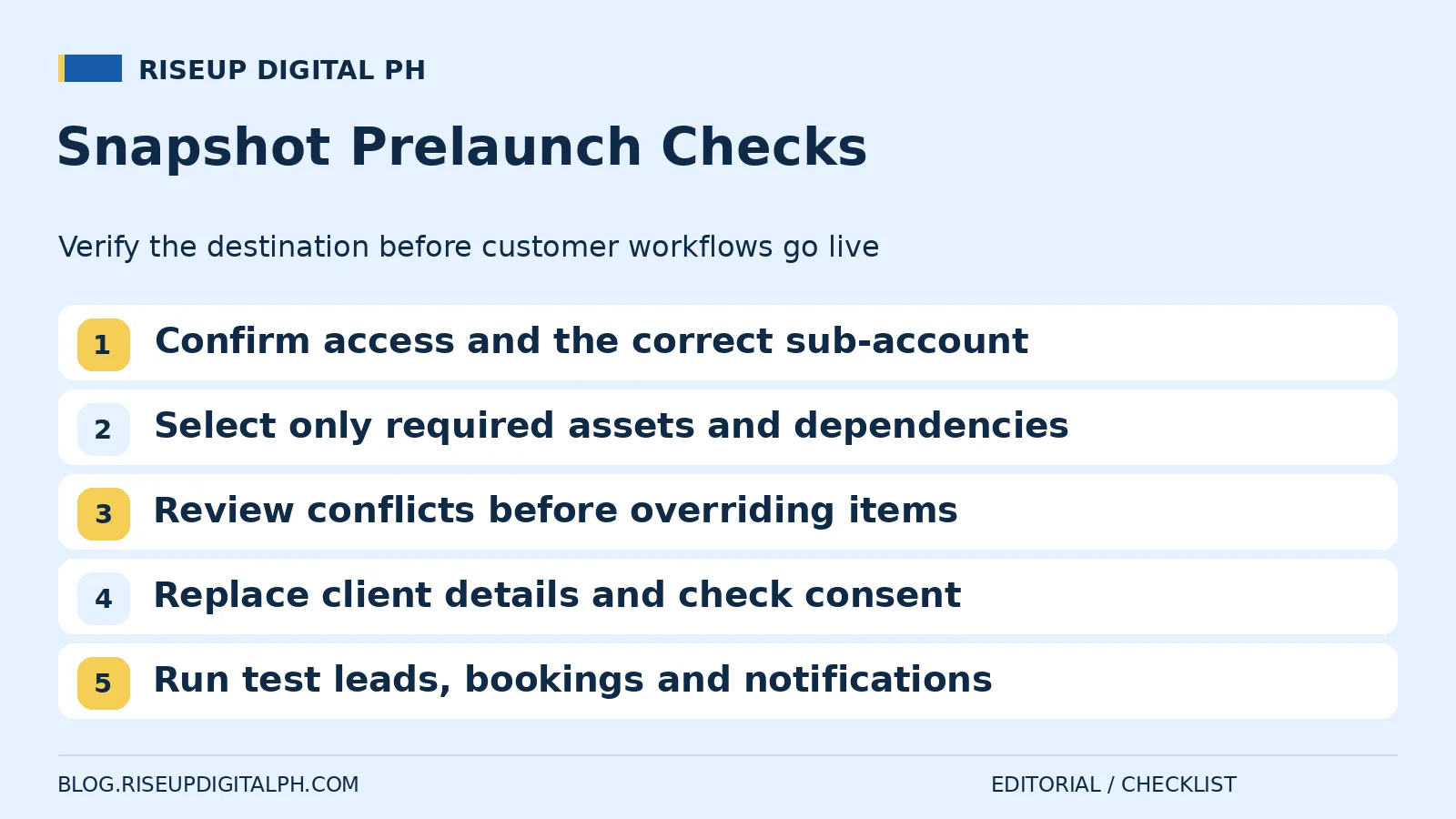
- Confirm access. Check that the authorized agency user can manage Snapshots and that the destination sub-account is correct. If you only have sub-account access, ask the account administrator which setup or import actions are supported.
- Inventory assets. List the forms, workflows, funnels, calendars and templates actually needed. HighLevel provides a nested asset selector, and some supported dependencies can be included automatically; review the resulting selection rather than assuming every dependency is covered. See nested asset selection and Snapshot dependencies.
- Review conflicts before loading. On an existing account, HighLevel lets you skip a conflicting asset or override it. Skip preserves the existing item; override replaces it with the Snapshot version. Document any deliberate override.
- Replace client-specific details. Inspect business names, sender details, links, calendars, time zones, assigned staff, custom values and any embedded offers. A template that mentions the wrong company is not ready to launch.
- Check permissions and consent. Verify that SMS/email contacts have the required permissions and that sending numbers, email domains and relevant services are correctly configured. Email, SMS and phone activity may incur separate usage-based charges.
- Test safely. Use internal test contacts and controlled bookings to check form submission, record creation, notifications, wait steps, links and appointment behavior before activating customer-facing workflows.
- Record a rollback plan. Note which assets were added or overridden, capture important previous settings, and assign an owner for post-launch monitoring. Do not assume a Snapshot is a one-click backup.
What happens when the template changes later?
Editing the source sub-account does not automatically update an existing Snapshot. HighLevel requires a refresh to capture selected changes. For eligible sub-accounts within the same agency, a separate Push Update action can distribute selected changes. External agencies may need a new share link or import. HighLevel’s refresh and update documentation also warns that changes to workflow steps can affect contacts waiting in those steps. Review and test updates before pushing them broadly.
For a small agency, a useful maintenance routine is to keep a versioned checklist alongside the template: which workflow changed, why it changed, which clients received it, and who verified the result. That record matters more than the number of templates in your library.
Common mistakes to avoid
- Assuming everything is included. Live contacts, conversations and appointment history do not travel with a Snapshot.
- Importing and forgetting. A Snapshot stored in the agency library is not yet loaded into the client account.
- Overriding without review. An existing account may contain customized workflows worth preserving.
- Turning on all automations immediately. Test recipients, triggers, timing and opt-out handling first.
- Assuming resale rights. A third-party Snapshot may have licensing or protected-asset restrictions; review permissions before redistributing it. See HighLevel’s Snapshot import and protected-assets guidance.
Which setup route makes sense for your business?
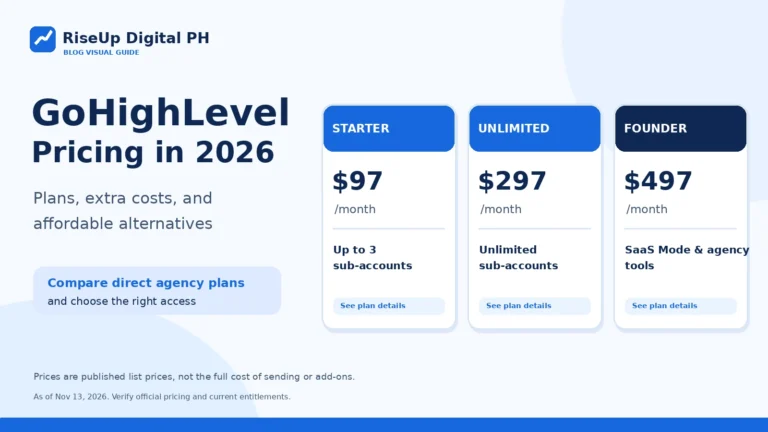
If your goal is simply to manage leads, follow-ups, bookings and marketing in one place, explore RiseUp Digital PH’s affordable GHL-powered business suite and confirm the features and account permissions included in its current offer. It is a subscription access route, not the same as buying a direct HighLevel agency license; agency-level Snapshot management should never be assumed.
Want to explore direct HighLevel agency tools before committing? As of November 19, 2026, HighLevel’s official Bootcamp page advertises a 30 Days FREE Extended Trial with free live guided training. Read our HighLevel Bootcamp trial guide to understand the separate direct-HighLevel offer, signup terms and possible usage-based communication charges. Eligibility and the terms shown at signup govern the offer.
The bottom line
Use Snapshots to standardize repeatable assets, not to replace client discovery, consent checks or quality assurance. A small, tested template with clear ownership will usually be more useful than a large import that nobody has audited. Before your next client launch, document the required assets, review conflicts, and run a complete test journey.